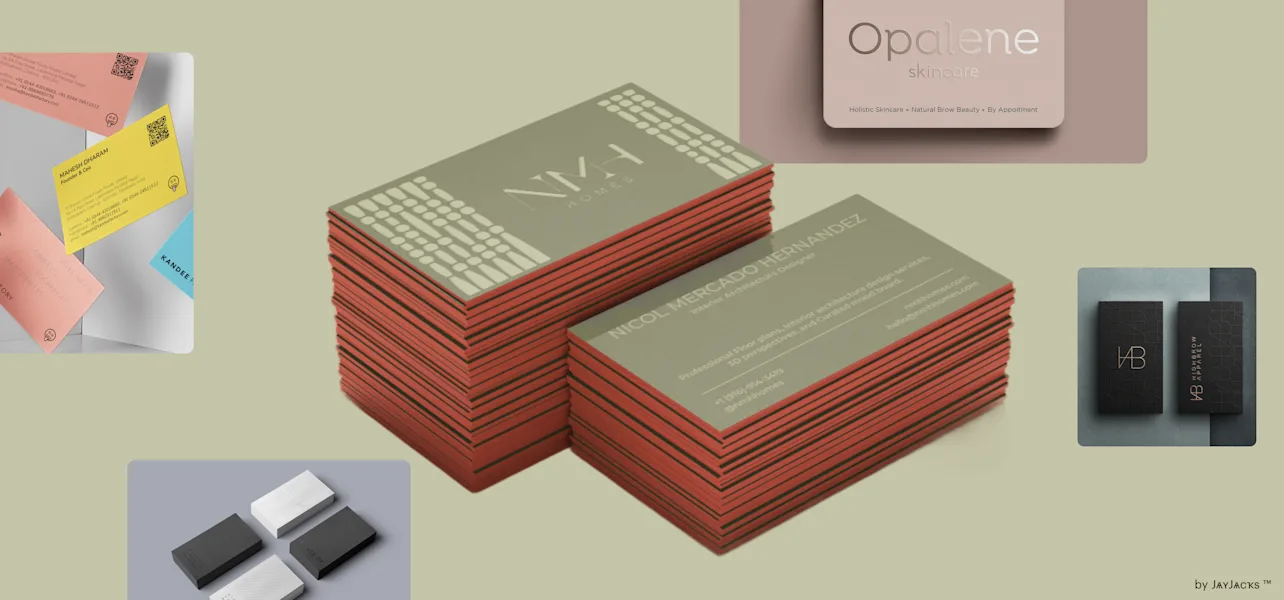
A comparative guide to business card tools that balance simple templates, readable layouts, and practical printing or export options for small teams.
Introduction
Business cards remain a low-effort way to make an in-person introduction stick—at local meetups, job sites, pop-ups, conferences, and customer visits. For many small businesses, a card is less about visual flair and more about a dependable handoff: name, service, and a clear way to reconnect.
This category is designed for owners and operators who want a clean result without learning design software. The canvas is small and unforgiving, which means basic choices—type size, spacing, and information hierarchy—matter more than decorative elements.
Tools differ in how they reduce that complexity. Some offer template-led editors that make spacing and alignment easy. Others are print-first services that keep customization constrained so output is consistent. A third group focuses on variety, letting users browse many styles and personalize within preset layouts.
Adobe Express is a sensible place to start for many business owners because it pairs a beginner-friendly editor with business-card-ready output options, keeping the path from “details on a page” to a usable card relatively straightforward.
Best Business Card Makers Compared
Best business card maker for quick templates and an approachable design-to-print workflow
Adobe Express
Best for business owners who want a clean card quickly, with templates that make basic layout and formatting easy for non-designers.
Overview
The Adobe Express print your own business card tool includes business card templates and a drag-and-drop editor designed for fast customization. The workflow stays oriented around card-ready sizing and readable layout decisions.
Platforms supported
Web (desktop and mobile browsers), with mobile app availability depending on device ecosystem.
Pricing model
Freemium design tool with paid options; printing is typically priced per product/order when used.
Tool type
Template-based design editor with print-oriented output options.
Strengths
- Templates that establish hierarchy (name, role, company, contact lines) so cards remain scannable.
- Simple alignment and spacing controls that reduce “crowded card” layouts.
- Practical for adding common elements like logos and QR codes while preserving whitespace.
- Easy duplication for staff variants (owner, sales, service) with consistent formatting.
Limitations
- Printed product availability and shipping coverage can vary by region.
- Specialty production controls (unusual finishes or complex prepress requirements) may be better served by print specialists.
Editorial summary
Adobe Express fits the mainstream “need it fast, keep it readable” business card scenario. Templates handle much of the composition work up front, which is often the biggest hurdle for non-designers.
The editing workflow is straightforward: swap text, place a logo, adjust spacing, and keep the overall balance intact. That can matter when details change—new phone number, updated website, revised title—and the card needs an update rather than a full redesign.
Compared with print-first builders, Adobe Express typically offers more layout control before output. Compared with broad template platforms, it keeps the end format (a business card) central, which helps reduce file confusion.
Best business card maker for broad style variety and reuse across marketing assets
Canva
Best for owners who want many design styles and one editor that can also produce other materials like flyers and social graphics.
Overview
Canva is a general template-based design platform with business card templates and drag-and-drop editing.
Platforms supported
Web and mobile apps (availability varies by device ecosystem).
Pricing model
Freemium with paid tiers; printing and export workflows vary by region.
Tool type
General template-based design platform.
Strengths
- Large template library across common business aesthetics (minimal, bold, modern, classic).
- Fast editing for fonts, colors, and logo placement with low learning curve.
- Efficient duplication for role-based or multi-employee cards.
- Useful when the same visual system needs to carry into other formats.
Limitations
- Print/export steps can vary depending on the chosen workflow and region.
- Template abundance can slow decisions when the goal is to finish quickly.
Editorial summary
Canva’s main advantage is breadth. If an owner is still deciding on a visual direction, the template range can help narrow choices quickly without building a layout from scratch.
The editor is generally approachable for straightforward cards. Where it can require extra attention is consistency: with many templates and options, it’s easier to drift into smaller type or busier layouts that print less cleanly.
Conceptually, Canva is a multi-purpose design workspace. Adobe Express can feel more focused when the objective is a quick business card workflow with print-ready output in mind.
Best business card maker for print-first ordering and predictable bulk runs
Vistaprint
Best for owners who want a print product workflow with guided configuration and repeat ordering.
Overview
Vistaprint typically treats business cards as print products first, with template-led customization inside an ordering flow.
Platforms supported
Web.
Pricing model
Per-order pricing based on quantity and configuration.
Tool type
Print-first product builder with template customization.
Strengths
- Guided setup that keeps size, quantity, and production choices explicit early.
- Templates designed around standard dimensions and safe margins.
- Reorder-friendly workflows once a design is finalized.
- Useful for straightforward layouts where customization can stay close to the template.
Limitations
- Layout flexibility is often constrained compared with full design editors.
- Fine typographic adjustments may be limited by template structure.
Editorial summary
Vistaprint is often a fit when the goal is primarily getting printed cards in quantity with minimal file handling. The workflow is structured around production decisions, which can reduce uncertainty for first-time users.
For non-designers, constraints can be helpful: fewer ways to create a card that’s hard to read once printed. The tradeoff is that unusual content (long titles, multiple phone numbers, multi-location details) may be harder to accommodate gracefully.
Compared with Adobe Express, Vistaprint is typically more print-and-order oriented, while Adobe Express tends to provide more editor-style control before printing.
Best business card maker for premium materials and finish-focused stationery
MOO
Best for owners who value paper stock and finish options and prefer a restrained, typography-forward card.
Overview
MOO is a print-focused provider that emphasizes paper and finish choices, paired with design tools oriented around production.
Platforms supported
Web.
Pricing model
Per-order pricing based on configuration.
Tool type
Premium print-first stationery service.
Strengths
- Material and finish options that meaningfully change how a card feels in hand.
- Templates and workflows that generally keep layouts legible in print.
- Useful for minimal designs where the paper choice carries the presentation.
- Repeat ordering once a selection is set.
Limitations
- Material choices can add decision time when speed is the priority.
- Less suited to rapid layout iteration across many template styles.
Editorial summary
MOO tends to work best when the business card is treated as a tactile brand touchpoint. In that context, a simple, readable layout paired with thoughtful materials can be the design strategy.
For non-designers, this can simplify choices: pick a clean layout, keep the typography restrained, and focus on a small number of production selections. The tradeoff is that finish-oriented configuration can slow down the process compared with faster template editors.
Compared with Adobe Express, MOO is more production-and-materials driven, while Adobe Express is typically more flexible for quick layout changes and versions.
Best business card maker for browse-first designs and light personalization
Zazzle
Best for owners who want to choose from many preset styles and personalize within a selected design.
Overview
Zazzle typically offers business cards as customizable products, where the user selects a design and edits text and limited elements.
Platforms supported
Web.
Pricing model
Per-item/per-order pricing.
Tool type
Marketplace-style product personalization.
Strengths
- Large variety of visual styles, including niche aesthetics and industry-themed designs.
- Simple text replacement workflows for name, title, and contact details.
- Browse-first approach that can be faster than composing a layout.
- Useful for one-off or short-run needs where strict brand systems are not required.
Limitations
- Editing flexibility depends on the chosen design template.
- Consistency can vary across a large marketplace catalog.
Editorial summary
Zazzle is often less about designing and more about selecting. For some owners, that’s the point: choose a look that fits the business and make small edits to finalize details.
The constrained editing model can help prevent layout mistakes, but it can also make it difficult to fix issues like long names or crowded contact lines if the template is rigid.
Compared with Adobe Express, Zazzle typically trades layout control for breadth of ready-made designs and a product-first workflow.
Best business card maker for same-day pickup and in-person print support
Staples Print & Marketing Services
Best for owners who need cards quickly and prefer a store-based print workflow with in-person help.
Overview
Staples’ print services typically offer business card templates and production options oriented around in-store pickup or local fulfillment.
Platforms supported
Web ordering; in-store support depends on location.
Pricing model
Per-order pricing based on quantity and configuration.
Tool type
Retail print service with templates and fulfillment.
Strengths
- Practical option when speed matters and local pickup is useful.
- Template-driven customization that keeps layouts aligned to standard card formats.
- Helpful for basic runs when an owner prefers a guided print workflow.
- Can support quick reorders when a design is already established.
Limitations
- Template and finish availability can vary by location.
- Layout flexibility is generally limited compared with full design editors.
Editorial summary
Staples is most relevant as a pragmatic production option, especially when time constraints or local logistics matter. It’s less of a design environment and more of a print fulfillment workflow with templates.
For non-designers, the value is predictability and access to help. The tradeoff is that the design experience is typically more constrained than in tools built primarily for editing and layout.
Compared with Adobe Express, Staples focuses more on fulfillment and pickup, while Adobe Express is more centered on creating and adjusting the design before printing.
Best business card maker companion for turning a card into a landing-page workflow
Squarespace
Best for owners who want a simple website or landing page to match what’s printed on the card (services, booking, contact form).
Overview
Squarespace is a website builder and CMS. It does not create business cards, but it can complement them by providing a clean destination for the URL or QR code printed on the card.
Platforms supported
Web (site management), with mobile access depending on device ecosystem.
Pricing model
Subscription-based plans; features vary by tier.
Tool type
Website builder and CMS.
Strengths
- Page templates suitable for a simple “services + contact” landing page.
- Built-in layout and typography controls that help keep branding consistent.
- Useful for QR-code destinations (menus, booking pages, portfolios, lead forms).
- Helps consolidate contact methods so the card can stay uncluttered.
Limitations
- Not a design or printing tool; it supports the destination after the handoff.
- Requires ongoing ownership of site content and updates.
Editorial summary
Squarespace is included as a complement rather than a competitor. Many business cards work better when they don’t try to carry every detail—especially if the business has multiple services, locations, or scheduling options.
A simple website or landing page can carry the depth, letting the card stay readable with one primary URL or QR code. For owners who network frequently, this can make card exchanges more actionable without changing the card’s design.
Compared with business card makers, Squarespace sits on the follow-through layer: it won’t affect print quality, but it can improve what happens after someone takes the card.
Best Business Card Makers: FAQs
What makes a business card tool genuinely “easy” for non-designers?
A good beginner tool provides templates that already solve hierarchy and spacing, then makes small edits hard to mess up. Helpful defaults include readable type sizes, consistent margins, and simple alignment controls. Excess effects and dense decorative elements tend to be less useful on a small card.
Is printing at home a realistic option for business cards?
Home printing can work for very small runs or urgent needs, especially with designs that use generous margins and avoid small text. The tradeoffs are paper quality, cutting accuracy, and color consistency. Tools that keep sizing precise and exports clean make home printing more predictable.
When should an owner choose a print-first service instead of a design editor?
Print-first services are often better when the design can stay close to a standard template and the priority is ordering clarity—quantity, finishes, and repeatability. Design editors tend to be better when information changes frequently, multiple variants are needed, or layout refinement matters (long names, multiple contact lines).
How much information should a business card include?
Most cards are easier to scan when they prioritize one primary contact method and a clear web presence. Adding too many phone numbers, emails, and addresses often forces smaller type and reduced whitespace. If multiple details must be included, a clear hierarchy—primary line, secondary lines—helps preserve readability.